Your full line speed
Files go up as many 100 MB parts at once, and FootageDrop keeps adding connections until your line is full. In testing it held 95% of the line, and on a real connection to Backblaze it averaged 674 Mbps and peaked at 824 Mbps.
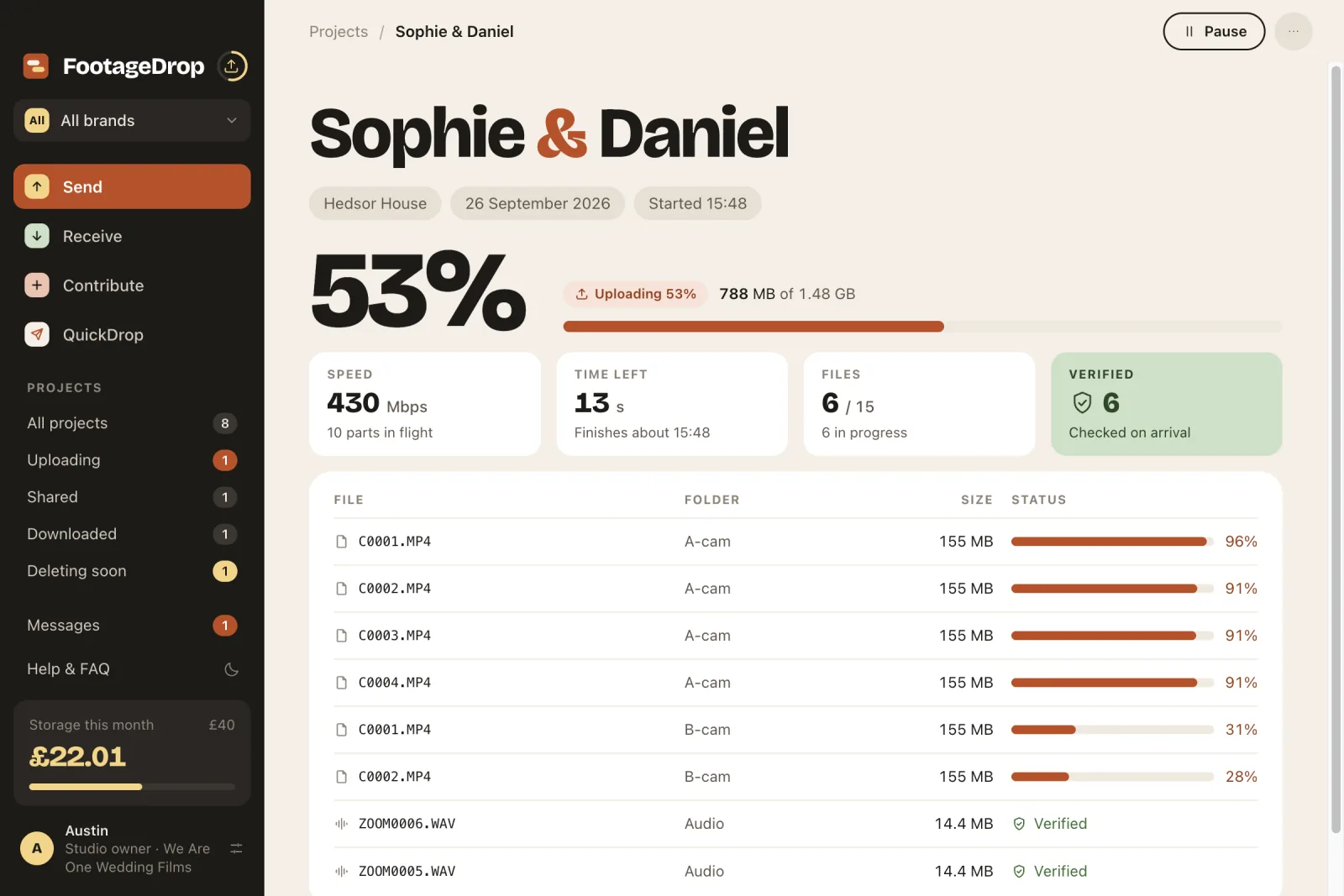
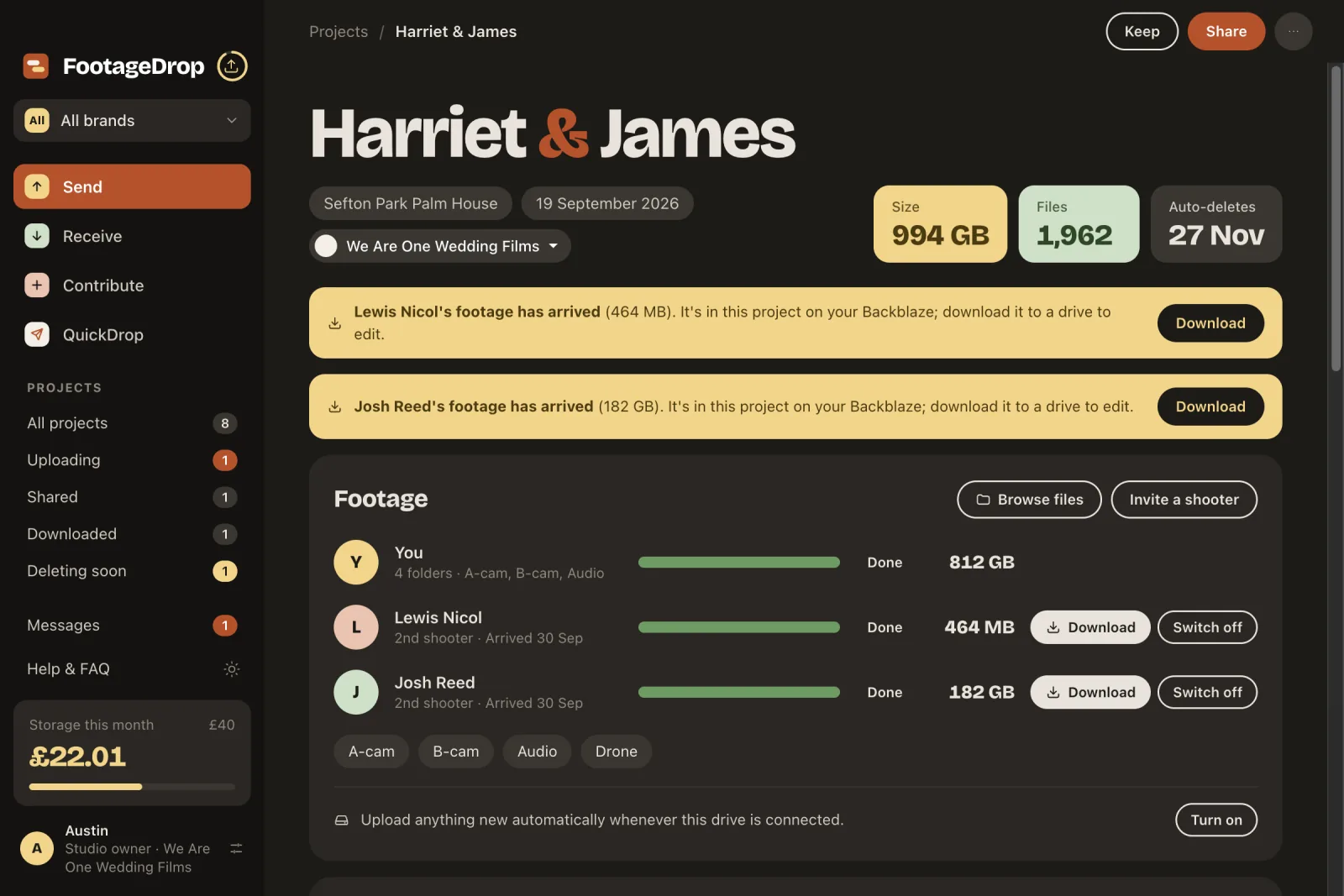
FootageDrop moves hundreds of gigabytes from you to your editor at the full speed of your connection, checks every file on the way, and carries on from where it stopped if anything drops. Your Shooters, your editor and your Couple meet in the same project.
14 days free, then FootageDrop at £4.99 a month for one brand, or FootageDrop Studio at £7.99 a month for unlimited brands. One plan covers Mac and Windows; editors, Shooters and clients you invite never pay. Pricing
Mac: Version 0.5.9 · macOS 13 or later · Apple silicon and Intel · 260 MB · Signed and notarised by Apple · Updates itself
Windows: Windows 10 or 11 · 64-bit · beta · Updates itself · or download the zip
Installed this way, FootageDrop keeps itself up to date. Rather not install? Download the zip, extract it and open FootageDrop in the folder it makes; it tells you in Settings when there's a new version.
New
BetaFootageDrop reads the footage and builds your editing timeline for you: every clip in shooting order, split into the parts of the day, ready to import into Premiere Pro, DaVinci Resolve or Final Cut Pro.
Each camera's clock is checked against the others. One that's clearly out, like a B-cam an hour fast, is corrected for you.
A new block after each pause, so prep, ceremony, drinks, speeches and dances each get their own sequence, plus All Footage.
Saved beside the clips it points at. Proxies and sound-only files are left out of the edit.
Studios press Build my timeline on a project's Footage box. Editors can have one built as their download finishes.
Free for everyone while it's in beta. After the beta, Build my timeline becomes part of FootageDrop Studio.
Send
Built for filmmakers who hand hundreds of gigabytes to an editor after every shoot, and are tired of waiting days for Dropbox.
Files go up as many 100 MB parts at once, and FootageDrop keeps adding connections until your line is full. In testing it held 95% of the line, and on a real connection to Backblaze it averaged 674 Mbps and peaked at 824 Mbps.
Click the arrow beside the bell and the Uploads panel slides open: every file on its way up with its own progress bar and time left, what's next in the queue, and what finished today.
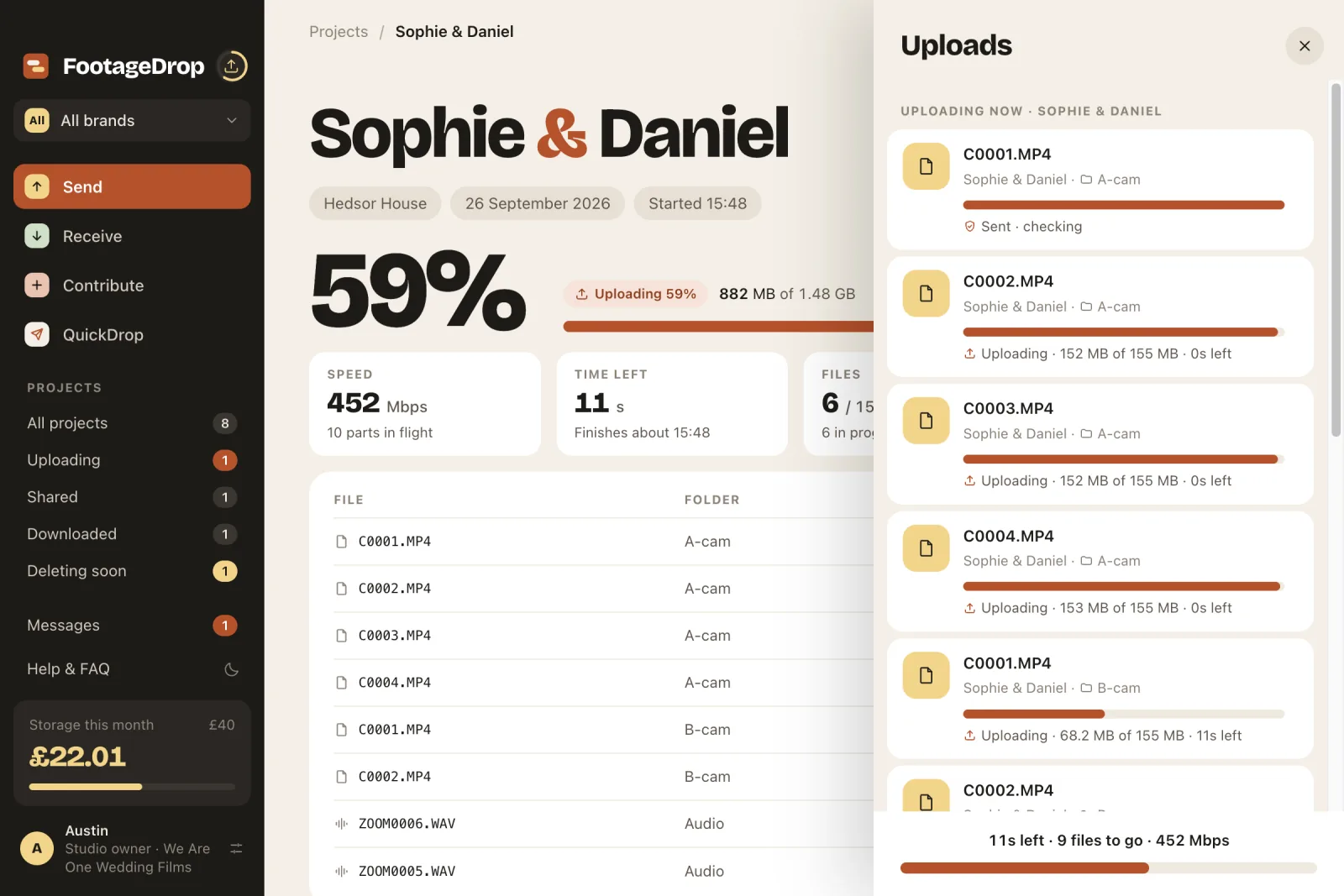
Upload from anything that appears in Finder. Each file is read only once, which keeps slower drives and NAS shares moving, and your folder structure arrives exactly as you filed it.
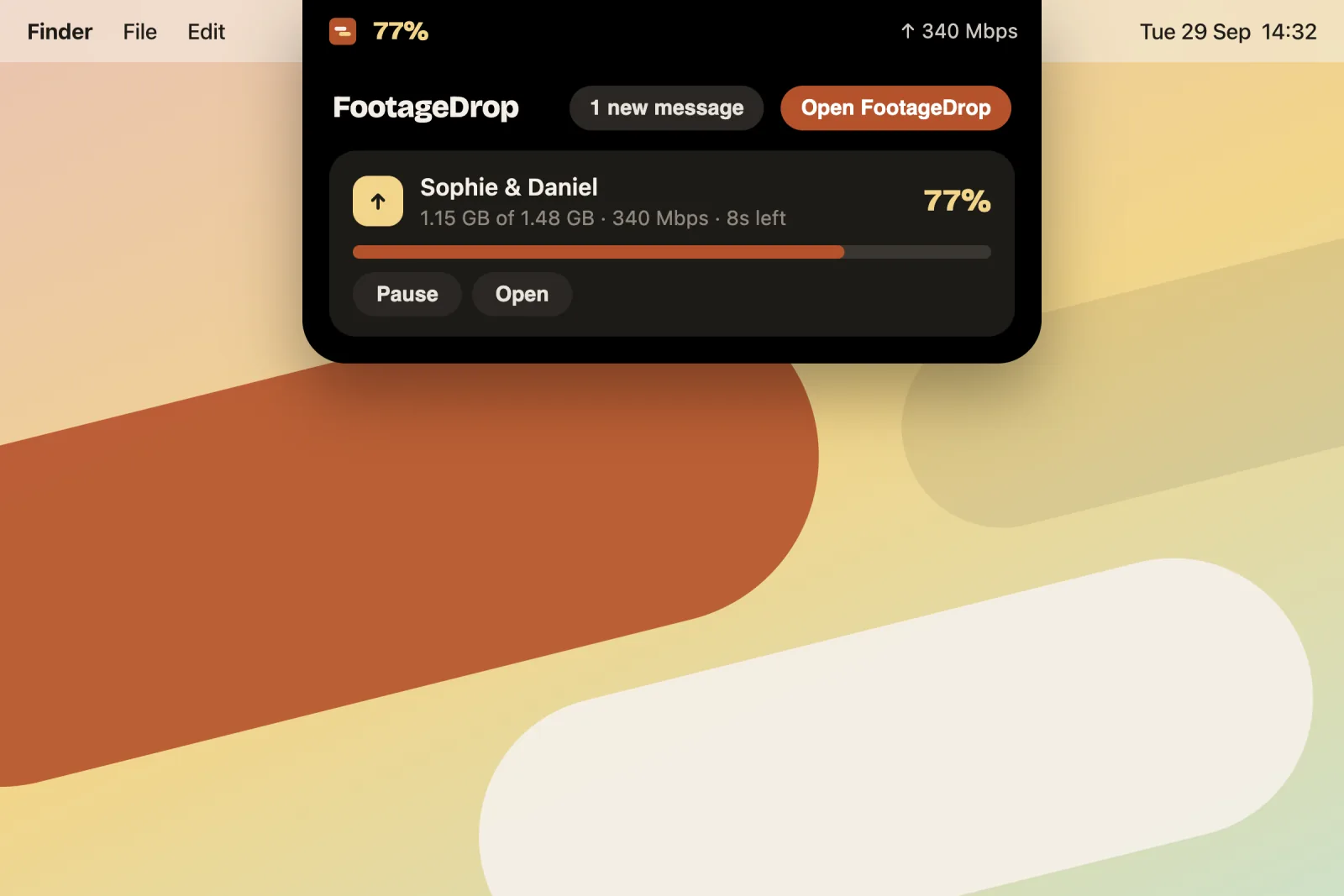
A small black pill sits beside the camera notch at the top of your screen, or top centre on other Macs. While something uploads or downloads it shows the percentage and speed. Click it for every upload and download, with Pause and Resume, without opening the FootageDrop window. You can turn it off in Settings.
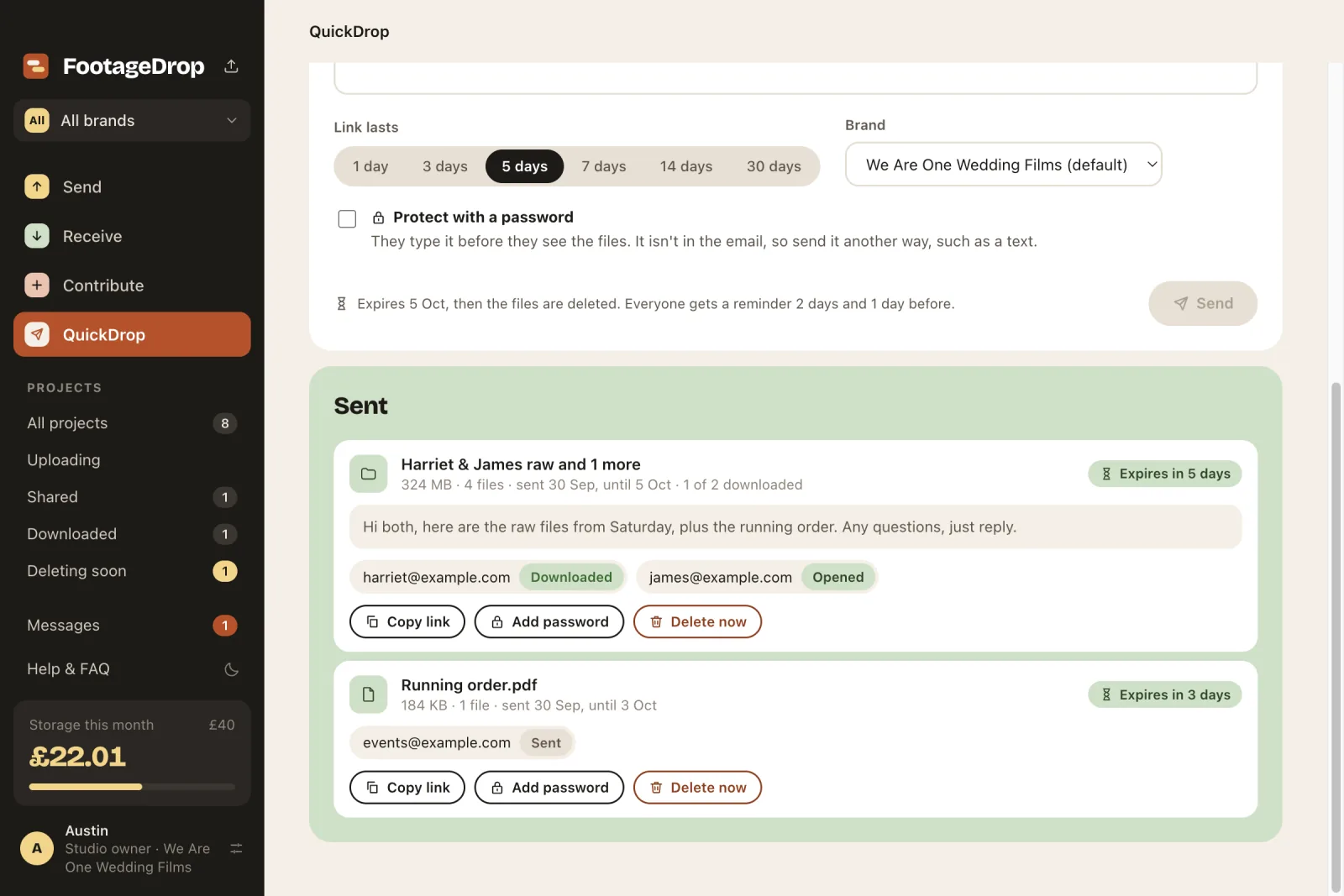
Drop in files and folders from your Mac, add email addresses and a message, and each person gets a link to download from a page, with no account needed. Anyone who hasn't downloaded gets a reminder 2 days and 1 day before the link expires, and the files are deleted from your storage when it does. You can see who has opened and who has downloaded.
Dropped Wi-Fi, a sleeping Mac, a quit, an unplugged drive or a NAS that drops off the network: FootageDrop carries on from the last finished part, by itself.
Copy a camera card to one or two drives in a single read. Every copy is checked against the card, and FootageDrop only says "Safe to format" when they all match, and the cloud copy too once it's uploaded.
Tick a box and small 1080p copies with the same names go up before the full files, so your editor can start straight away.
Your team
Each project holds its footage, the people on it, Cuts for review, invoices and messages. Each part appears once there's something in it.
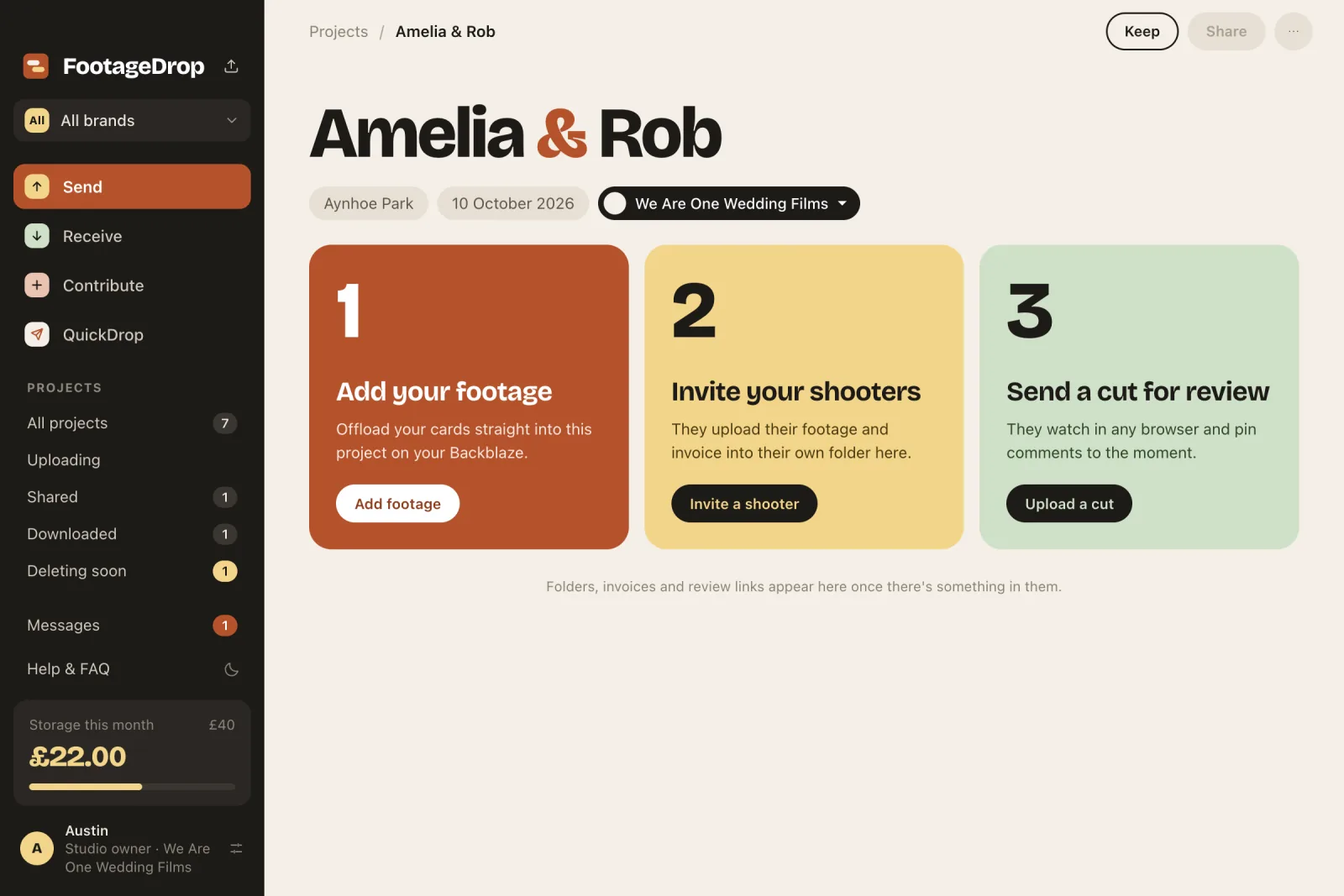
Make a project before anything is uploaded. Three steps get you going: add your footage, invite your Shooters, send a Cut for review. Folders, invoices and review links appear once there's something in them.
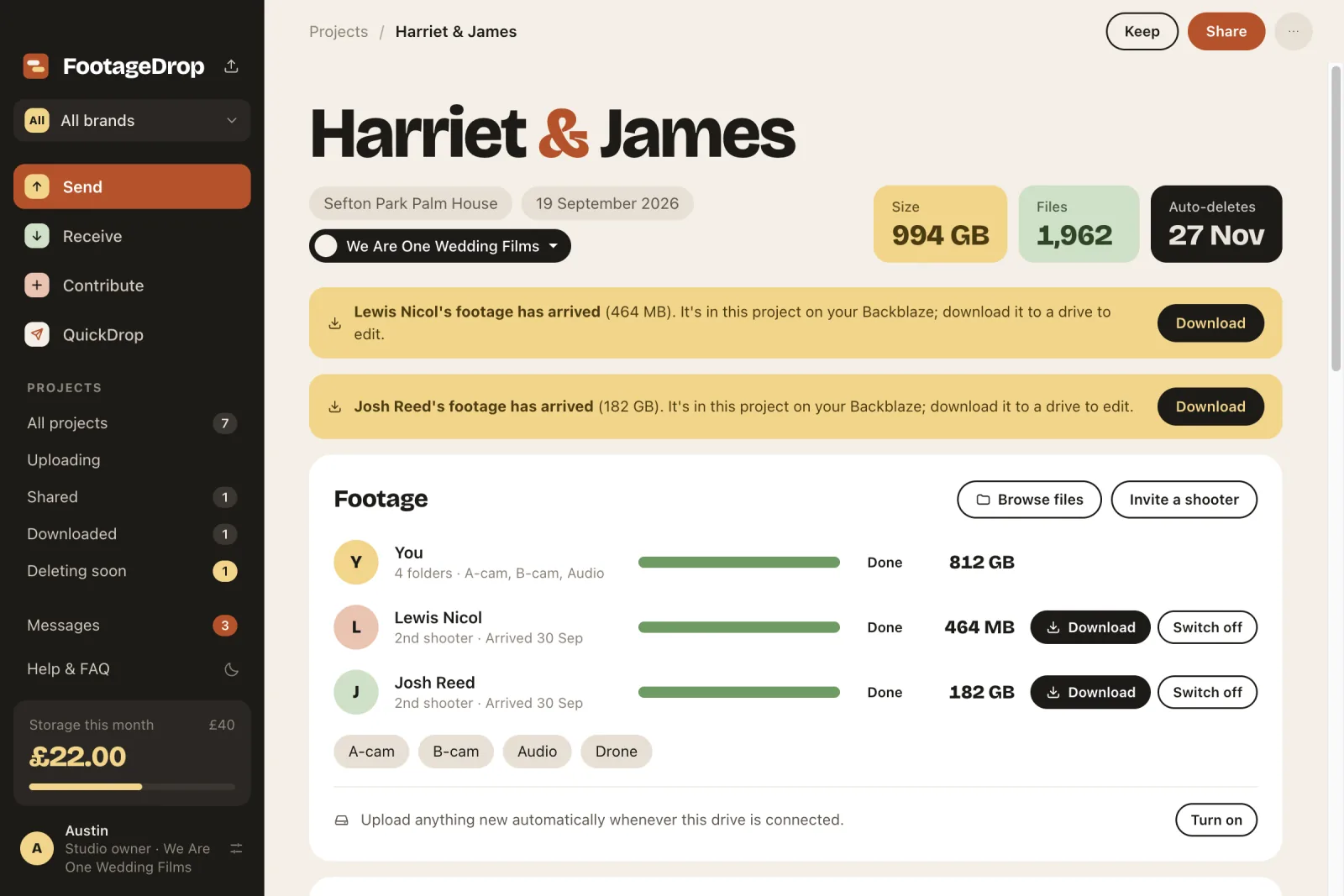
Ask your Shooters for their footage. They upload into their own folder of your project and attach their invoice, which you download and mark paid. When their footage arrives, bring down just their folder, with every file checked.
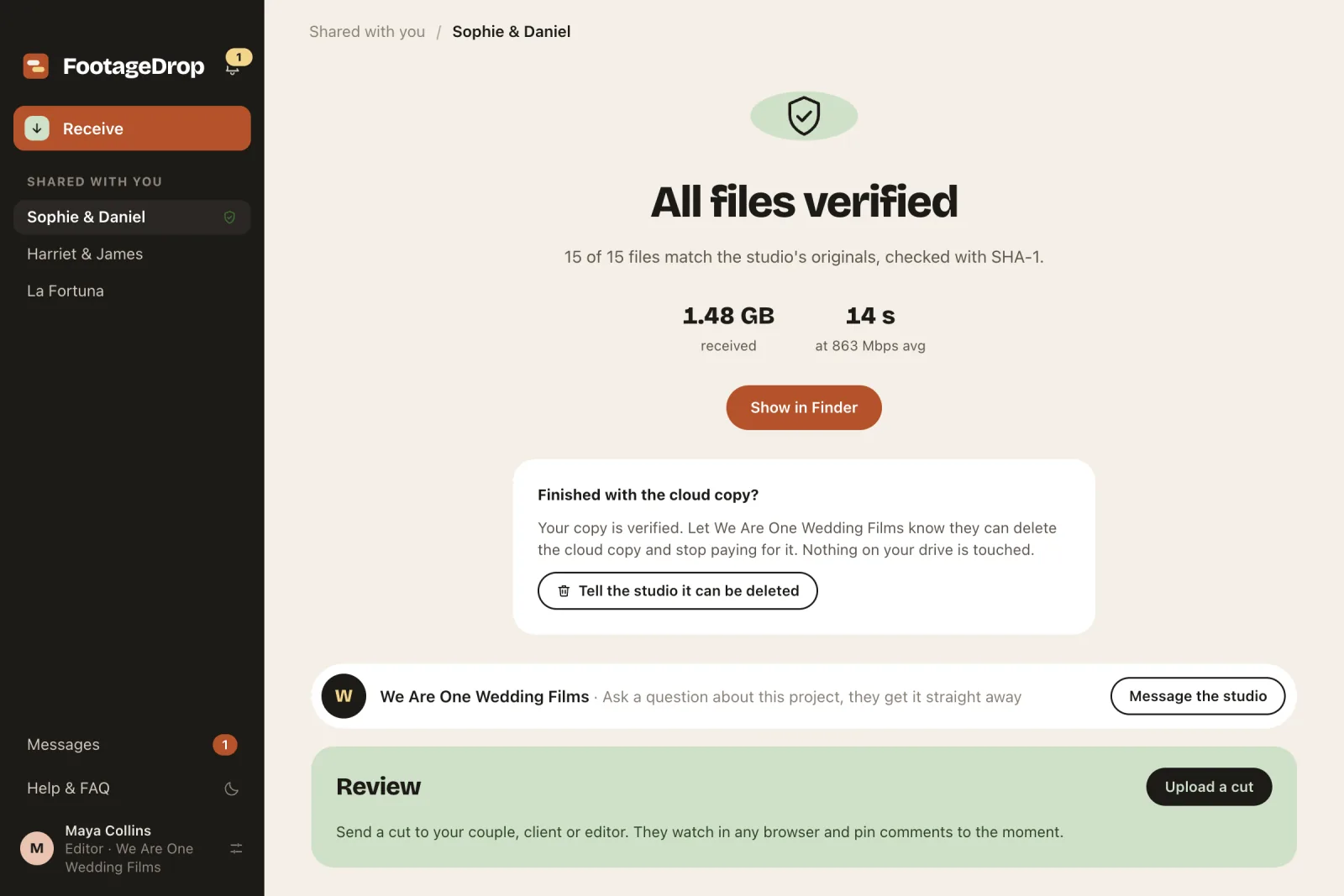
Share a project with an approved editor and a note. They pick a drive and download everything in parallel, into a tidy folder, and only see "All files verified" when every file matches your original.
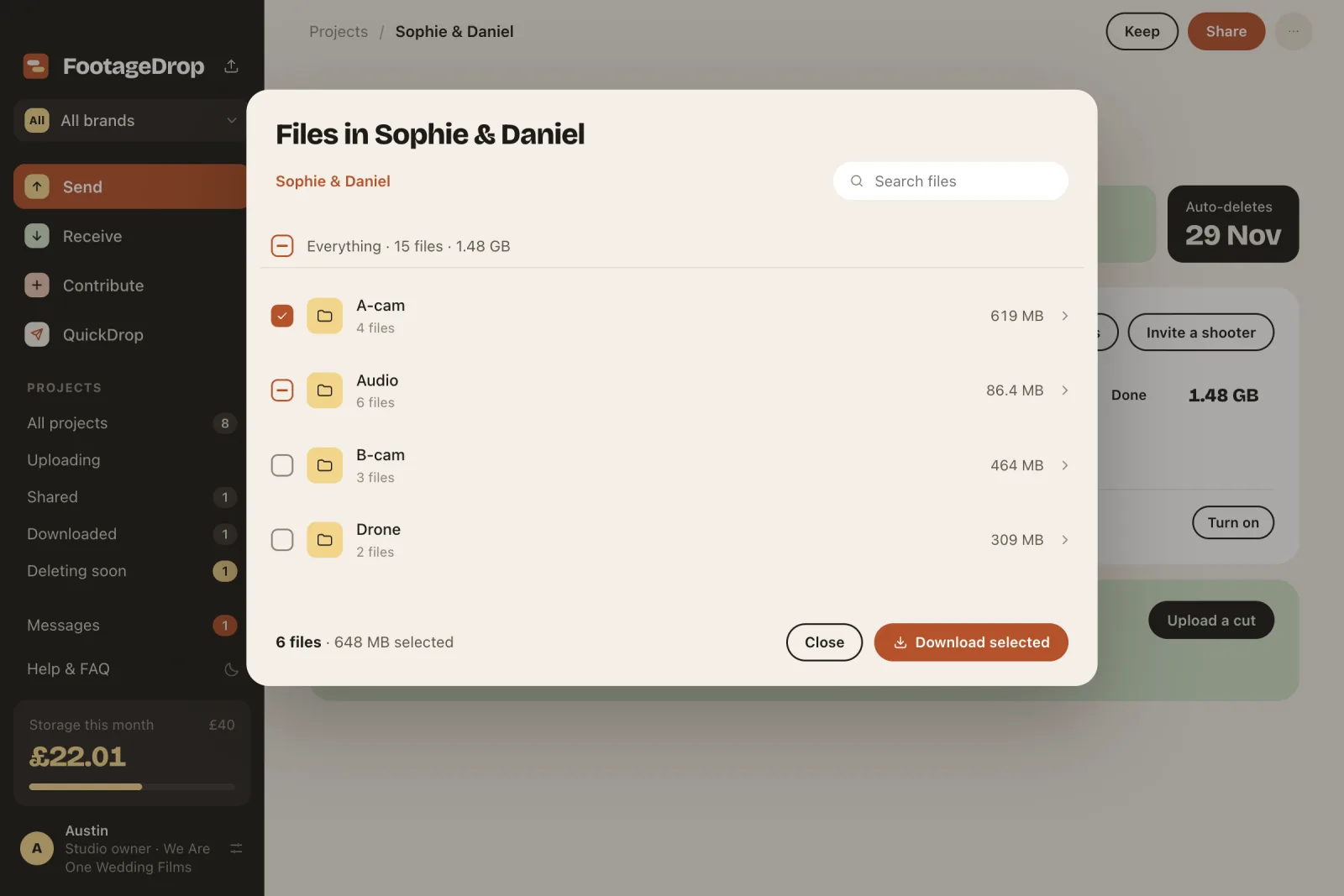
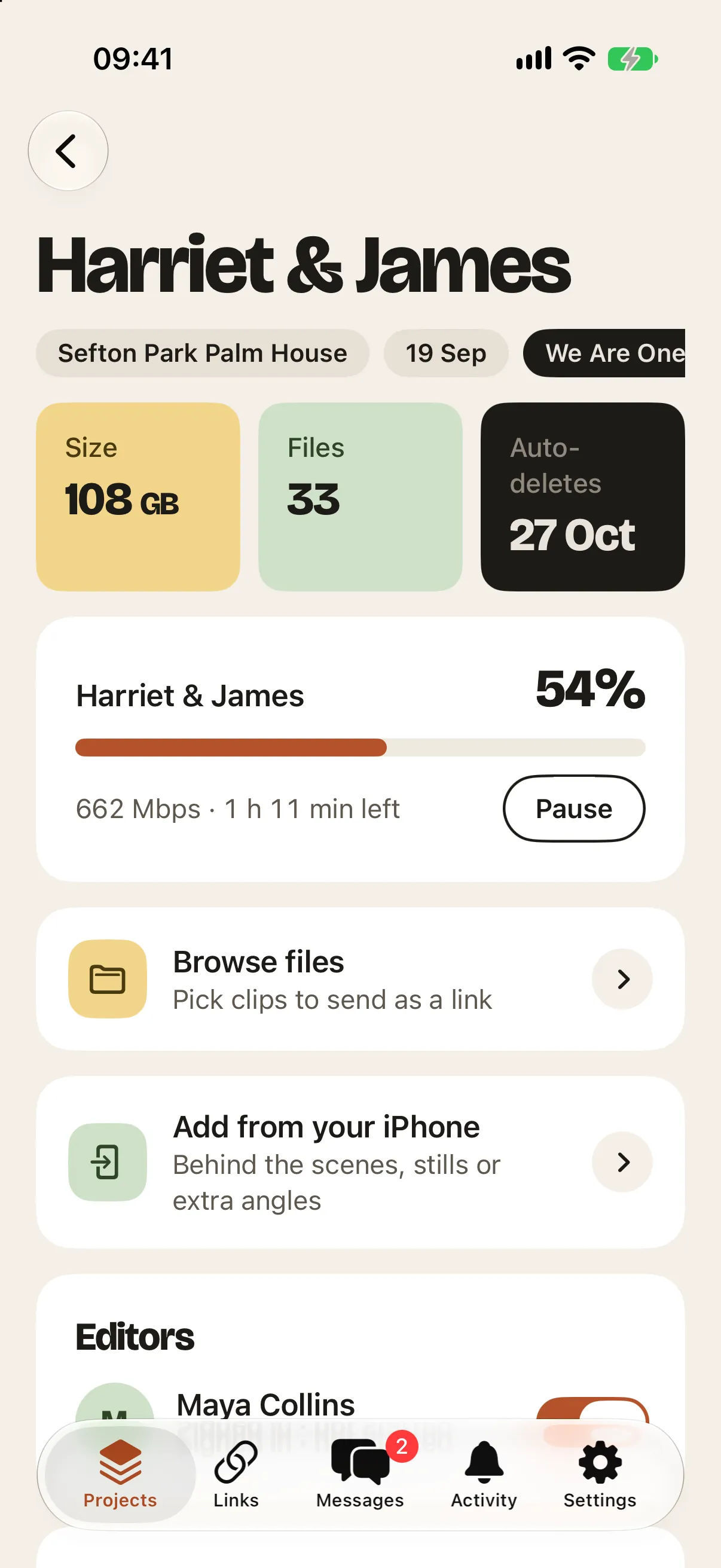
Browse a project in the cloud folder by folder, or search it. Tick whole folders or single files and press Download selected: only those come down, each one checked against the original. It works on your own projects, and for editors on projects shared with them.
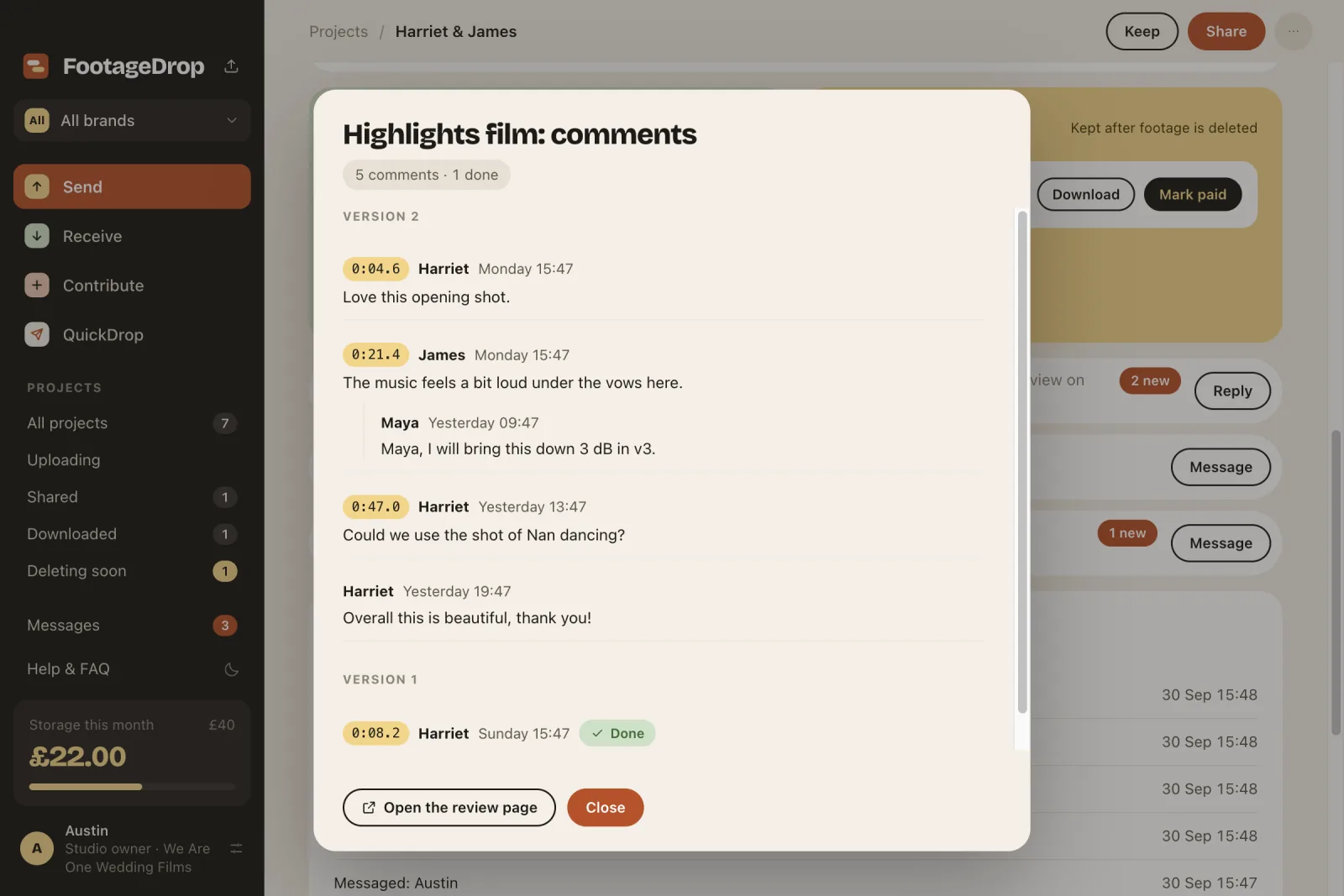
Upload a Cut and send one link. Your Couple watches in any browser, with no app or sign-in, and pins comments to the exact moment, with screenshots or mock-ups attached, or drawn straight onto the frame. Your editor ticks notes off, uploads version 2, and the Couple presses Approve.
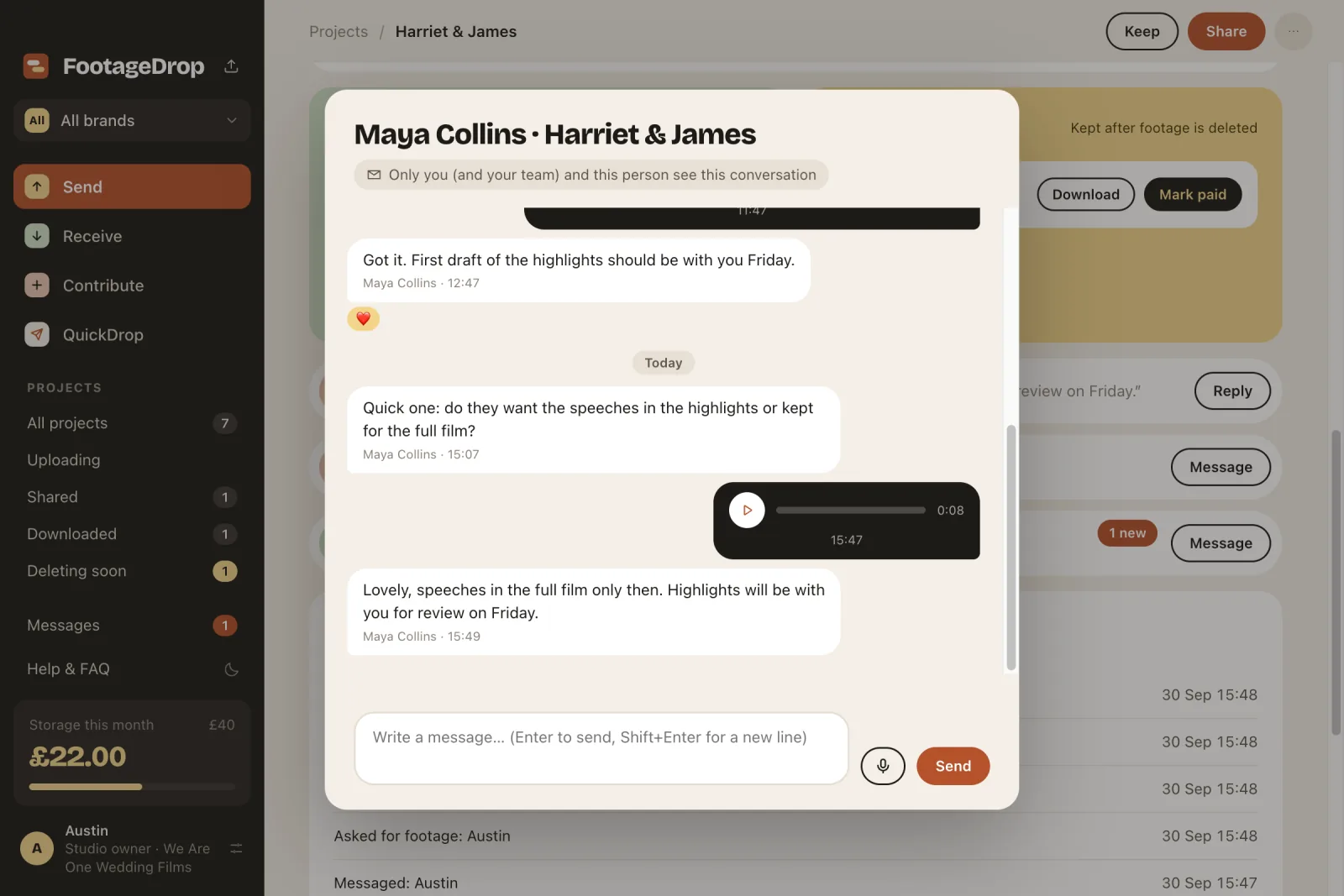
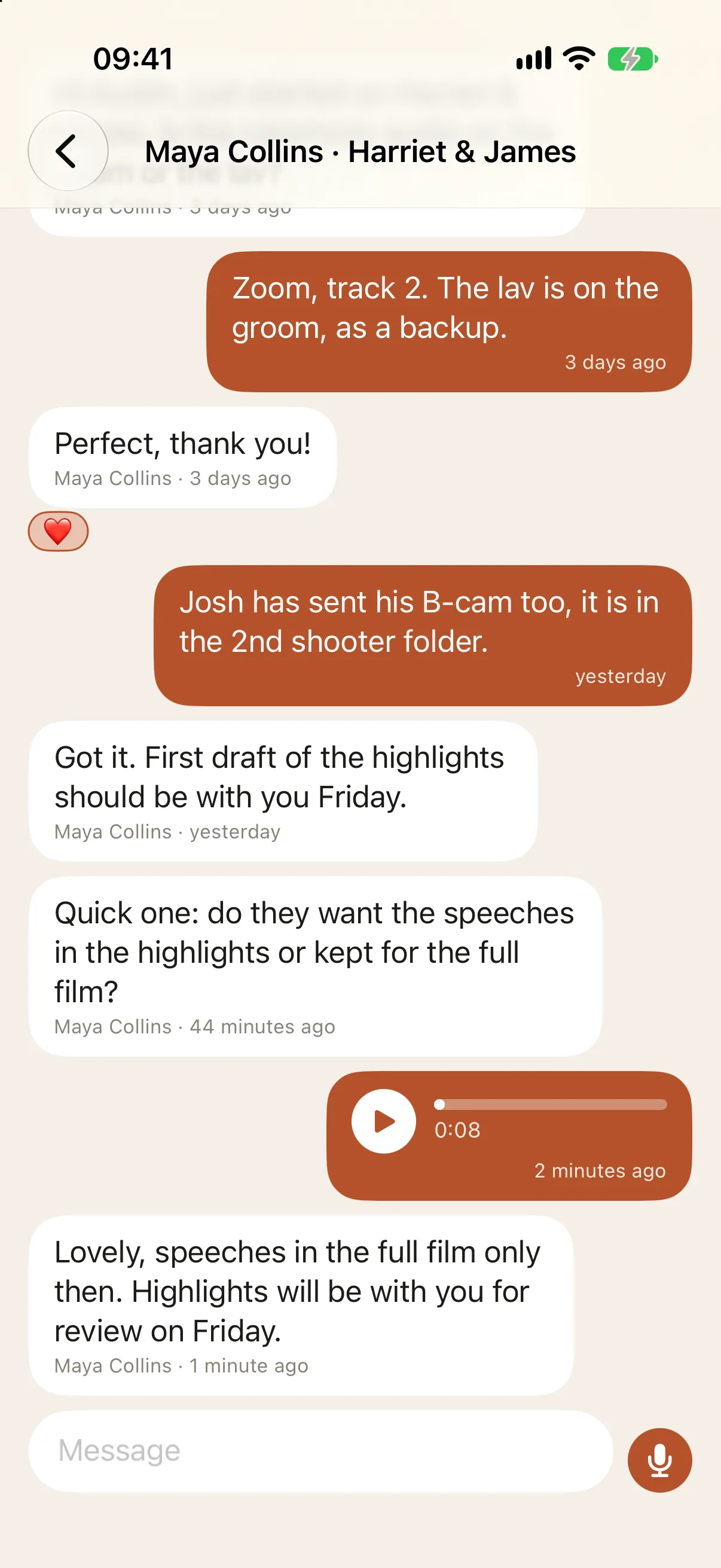
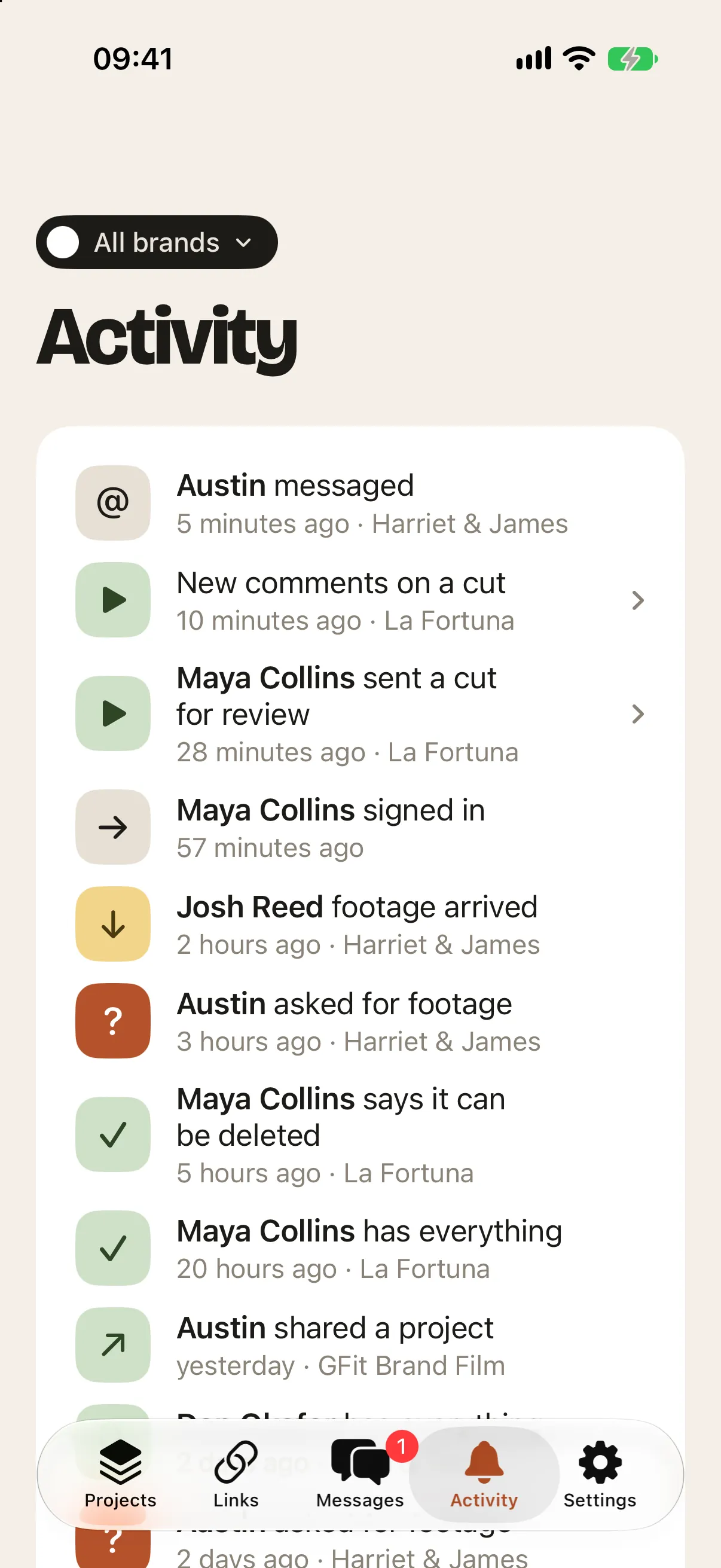
Chat with your editor or Shooters about a project, on your Mac and iPhone. React to a message like in Apple Messages, press the microphone to send a voice note, and see when each person has signed in, downloaded, or sent their footage.
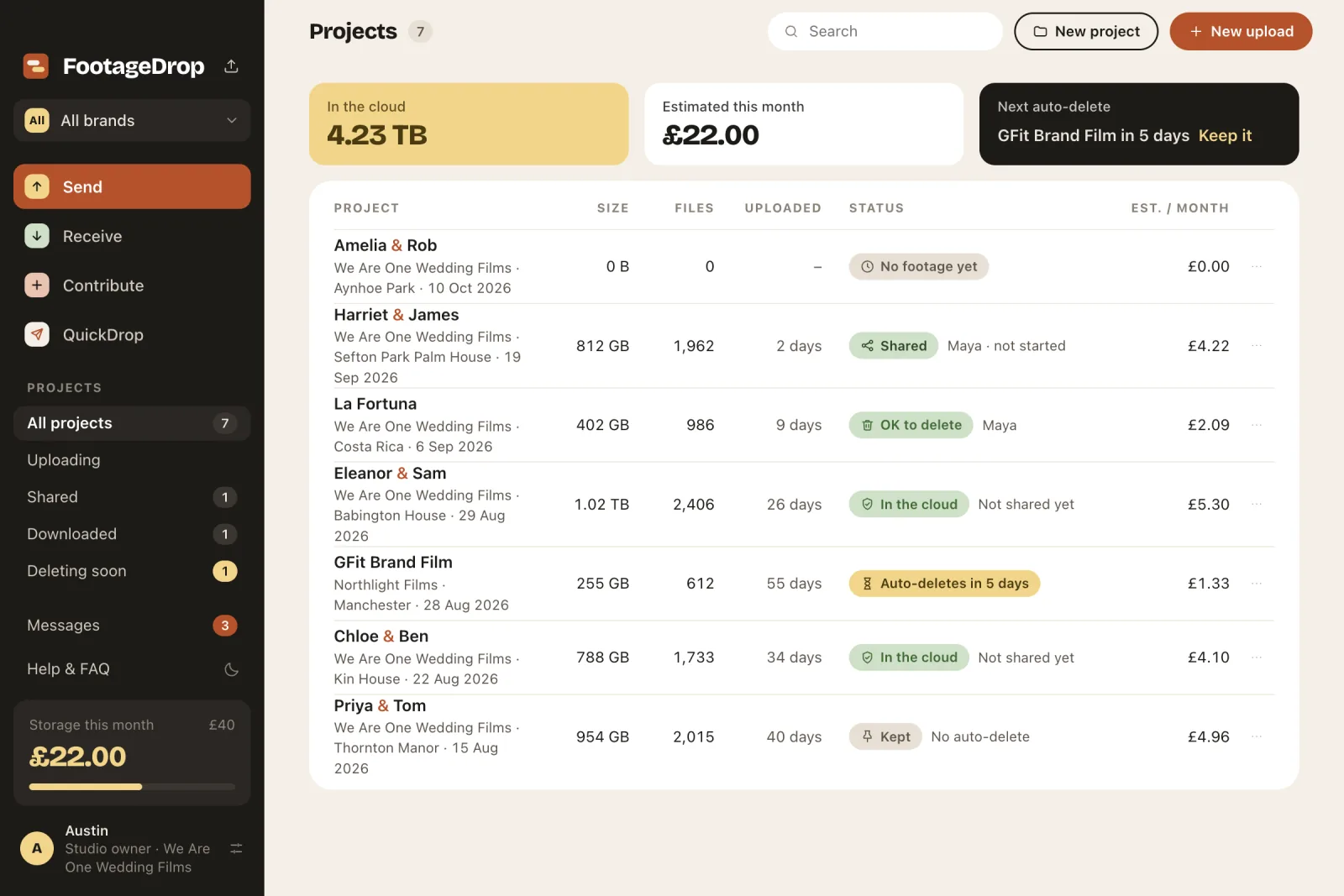
See what's in the cloud and what this month will cost, against a limit you set. Projects Auto-delete from the cloud 60 days after upload, with a warning a week before; press Keep on anything you need. Your own drives are never touched.
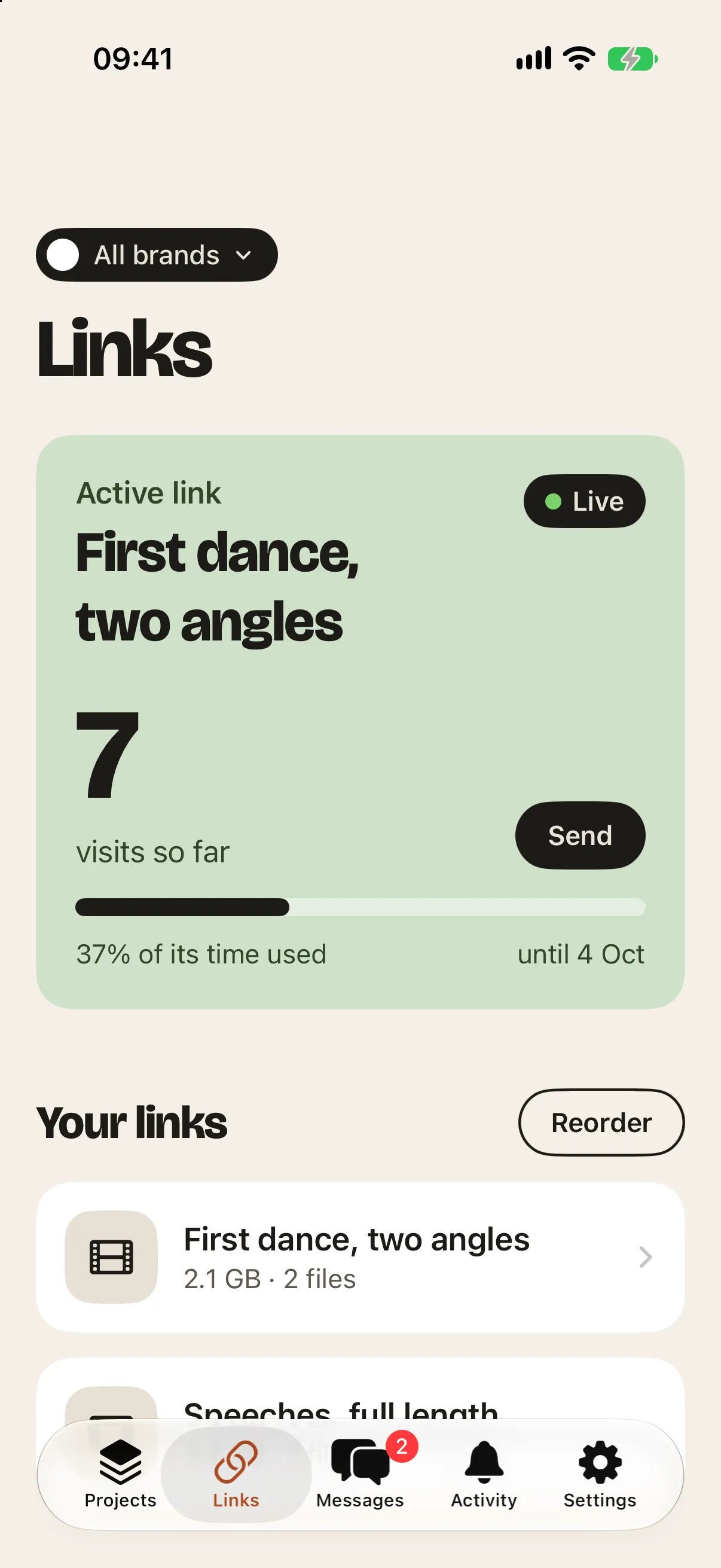
Trade under more than one name. Tag each project with a brand, switch brands at the top of the sidebar, and your Couples, editors and Shooters see that brand's name and logo.
Add yours in Settings, and your studio, editors and Shooters see it next to your name.
Freelancers who shoot for several studios use one email. Footage they send you always lands in your Backblaze; their own studio stays theirs.
Find answers in Help & FAQ without leaving the app, and see what's new after each update.
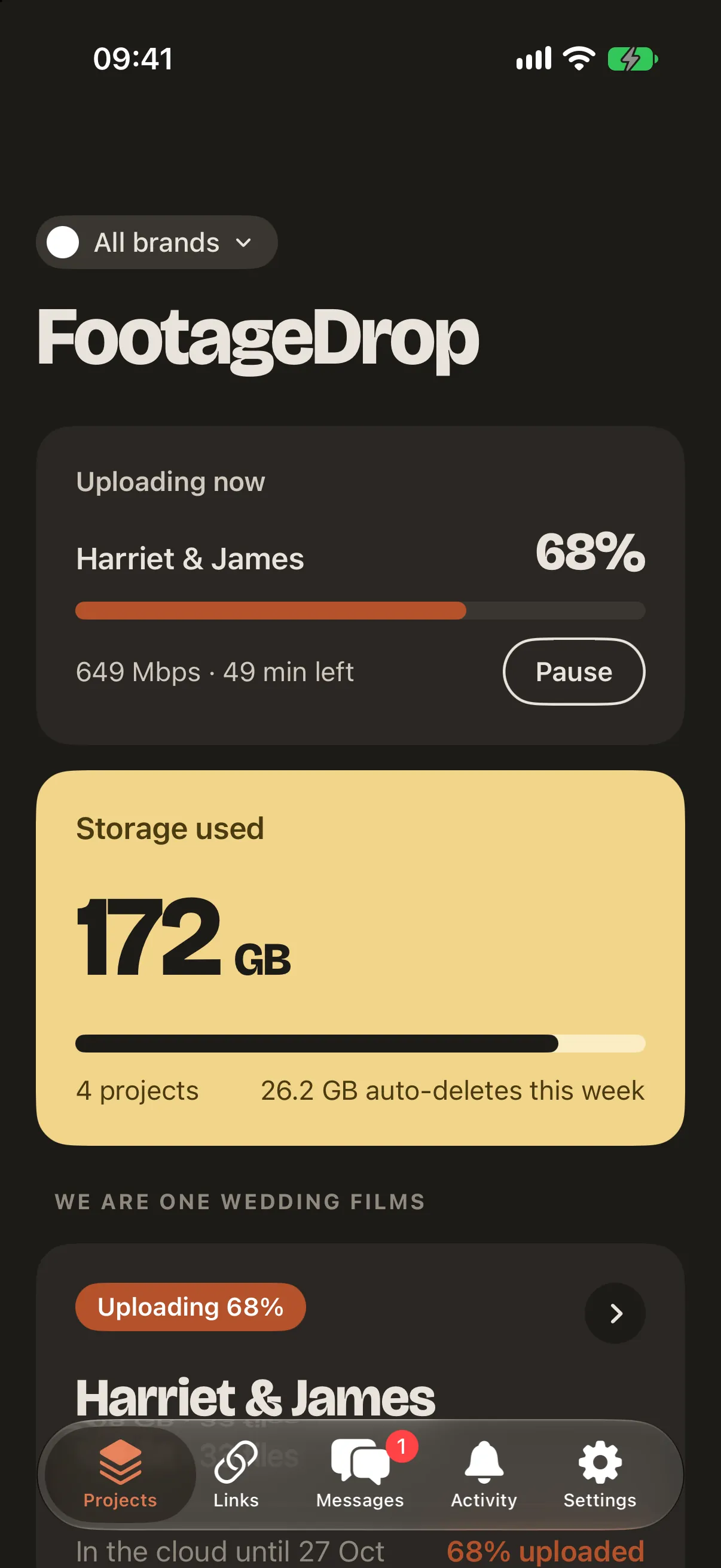
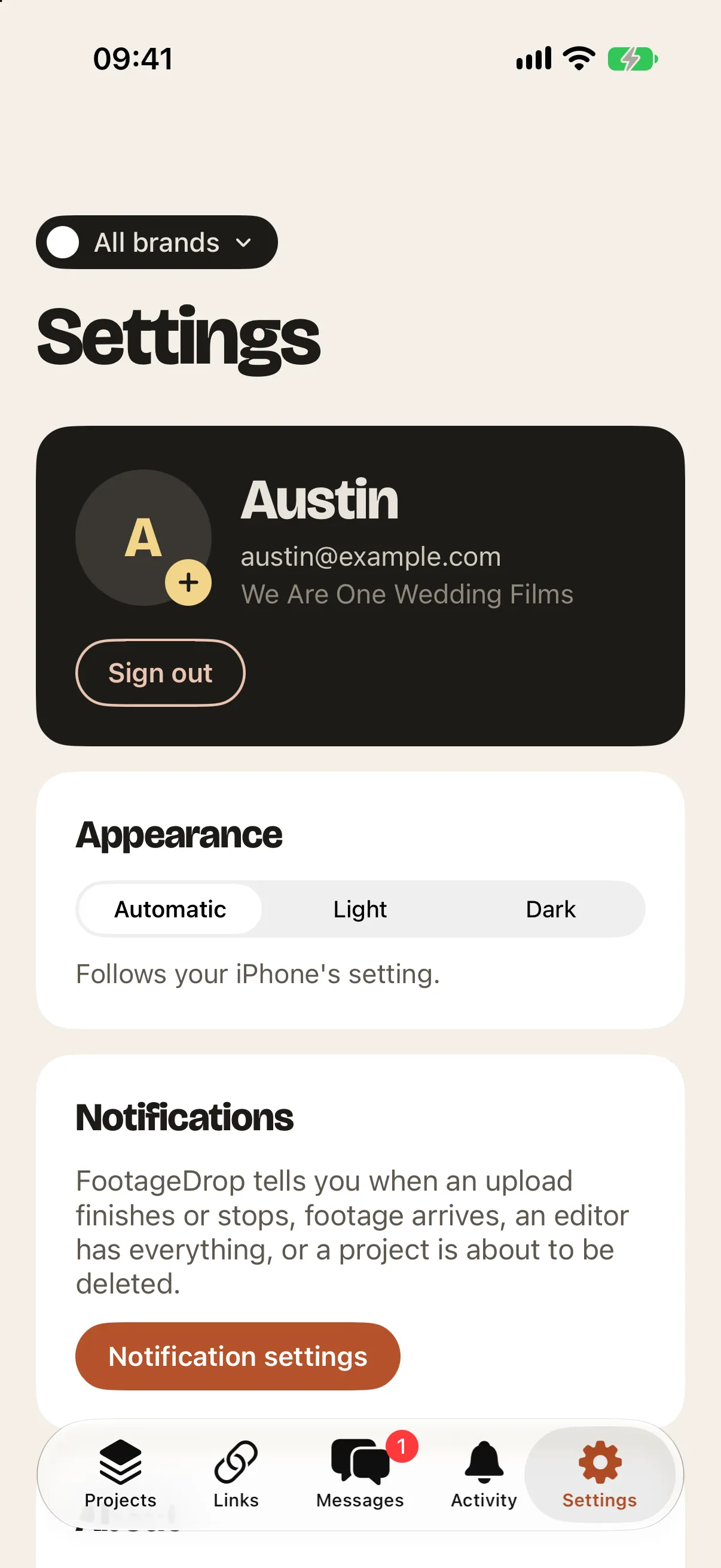
Match your edit suite. The Mac and iPhone apps both have a dark mode that follows your settings, or set it by hand.
iPhone
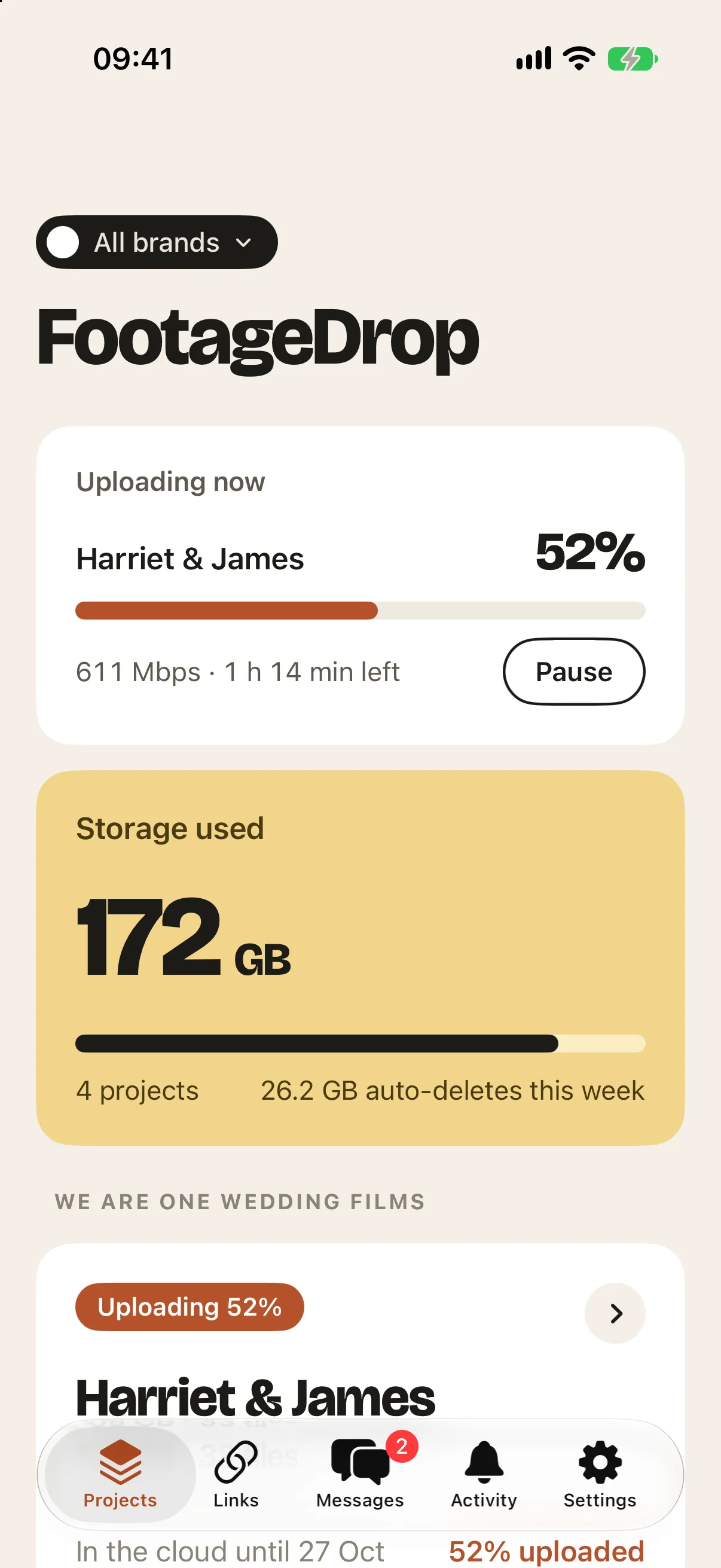
The FootageDrop iPhone app keeps an eye on uploads while you're away from the edit suite, and sends your own phone footage into a project.
How it works
FootageDrop talks straight to your own Backblaze storage, so footage never passes through anyone else's servers.
Open a Backblaze B2 account, create a private bucket and a key, and paste them into FootageDrop's Settings. It takes about ten minutes, once.
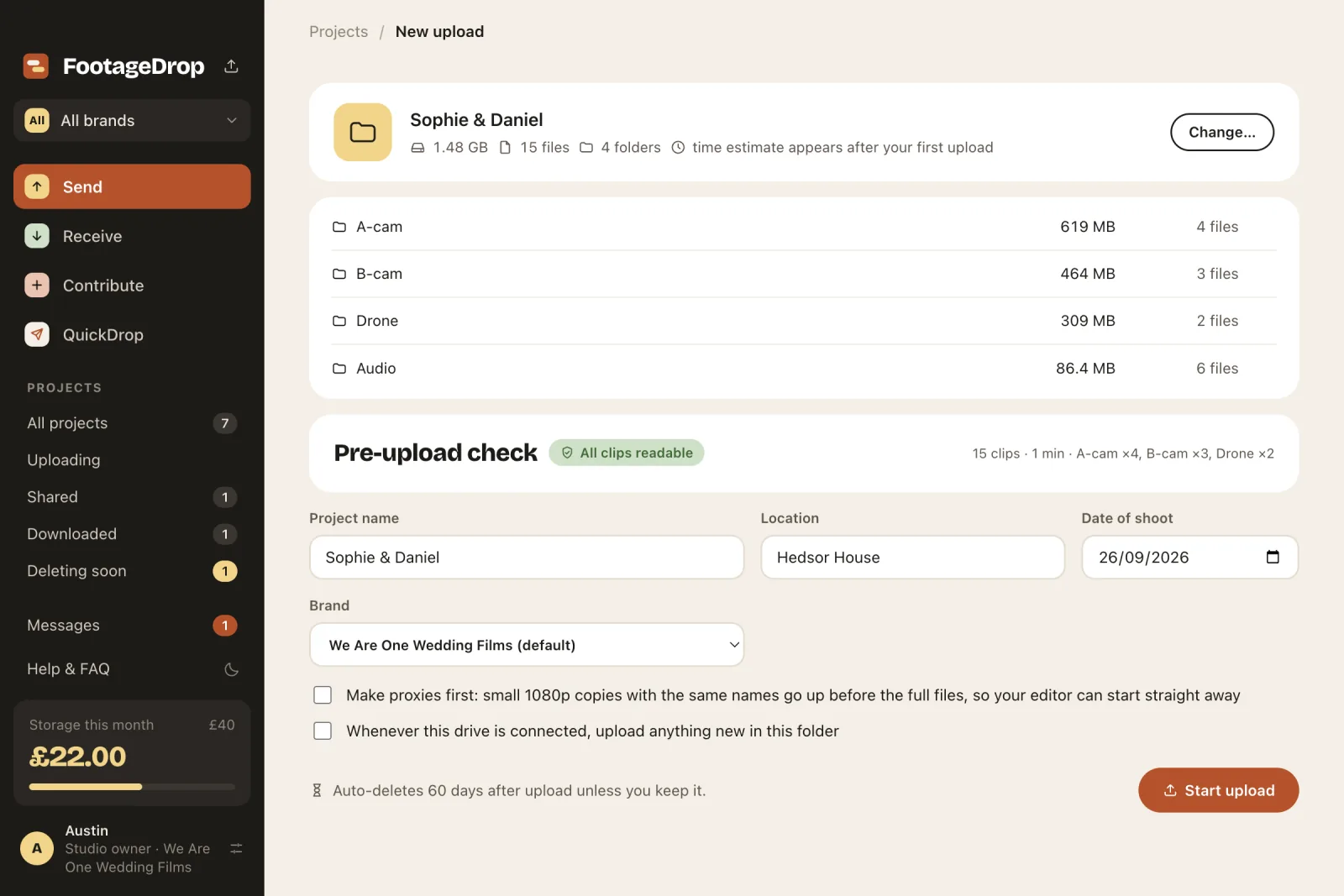
Drag a project folder from any drive or NAS, add the name, location and date, and press Start upload.
When it's up, share it with your editor. Your Shooters can add their own cards to the same project.
They choose a drive and download everything in parallel. Every file is checked against your original before they see "All files verified".
Security
Encrypted on the way and in storage, in a bucket only you control. It isn't end-to-end encrypted: Backblaze holds the storage keys, which is what lets your Couple watch a Cut in any browser and QuickDrop recipients download from a page.
Every connection uses HTTPS, the same TLS encryption banks use.
Files sit in your own private Backblaze B2 bucket. FootageDrop asks Backblaze to store every file it uploads encrypted with AES-256, even if Default Encryption is off on your bucket.
Footage and QuickDrop files go straight between your computer and your bucket. FootageDrop's server only hands out signed links that expire within hours.
Each file gets a SHA-1 fingerprint when it's uploaded and is checked against it when your editor downloads in FootageDrop. Every 100 MB part is checksummed on the way up too.
Add a password to any QuickDrop or review link. It's asked for before any file is shown, wrong guesses are slowed down, and it's never in the email. FootageDrop only keeps a scrypt hash of it.
Your team, editors and Shooters sign in with a one-time code sent to their email. Your Backblaze key stays in your Mac's Keychain or Windows' secure storage, and on our server only in encrypted form.
Pricing
The same FootageDrop on Mac and Windows. Try either free for 14 days.
Setup
About ten minutes, once. FootageDrop also has a practice mode, Local test storage, so you can try every screen before this.
The short version:
https://s3.eu-central-003.backblazeb2.com), the bucket name, key ID and key, then Test connection and Save. The key is kept in your Mac's Keychain, or your Windows account's secure storage.What's new
FootageDrop downloads new versions in the background and asks you to restart.
Coming next
Everything above works today. Coming next:
FAQ
It moves big shoots from you to your editor through your own cloud storage, as fast as your internet connection allows. You drop in a project folder, FootageDrop uploads it, your editor downloads it with every file checked, and shooters can add their cards to the same project.
Sync apps send a few files at a time and rarely use your full upload speed. FootageDrop splits files into 100 MB parts and sends many at once, adding connections until your line is full. On a 900 Mbps line a 1 TB project takes about 2.5 hours; on 100 Mbps it's about 22 hours. Your upload speed is the limit, not FootageDrop.
Every 100 MB part carries a checksum, and Backblaze rejects any part that arrives different from what was read off your drive. Each file's SHA-1 fingerprint goes into the project's manifest, and when your editor downloads, every file is checked against it. The editor only sees "All files verified" when every single file matches.
In your own Backblaze B2 bucket, private, in the region you chose when you opened the account (EU Central in Amsterdam is a good choice for UK and EU clients). FootageDrop talks to Backblaze directly, so footage never passes through anyone else's servers, and every file is stored encrypted with AES-256. Your Backblaze key is kept in your Mac's Keychain.
Everything travels encrypted (HTTPS, the same TLS your bank uses), and FootageDrop asks Backblaze to store every file encrypted with AES-256, even if Default Encryption is off on your bucket. Your footage goes straight between your computer and your own bucket: FootageDrop's server never receives it, it only hands out signed links that stop working within hours. Every file is fingerprinted with SHA-1 and checked when your editor downloads it. Editors, shooters and your team sign in with a one-time code sent to their email, so there are no passwords to steal, and you can add a password to any QuickDrop or review link.
A quick way to send big files to anyone, WeTransfer style, from your own storage. Drop in files or folders, add email addresses and a message, and choose how long the link lasts (1 to 30 days). Each person gets their own link, downloads from a web page with no account needed, and is reminded 2 days and 1 day before it expires. You see who has opened and downloaded, and the files are deleted from your storage when the link ends.
Yes. Tick "Protect with a password" when you send a QuickDrop, or add one to a review link with its Password button. The person has to type it before they see any files, and after a few wrong guesses FootageDrop makes them wait. The password is never included in the email, so send it another way, such as a text message. FootageDrop only keeps a scrambled (scrypt) fingerprint of it, never the password itself. You can change or remove it at any time.
Not in the strict sense. Files are encrypted on the way (TLS) and in storage (AES-256), but the storage encryption keys are held by Backblaze, not only on your computers. That is what lets editors download many parts at once, clients stream review cuts in a browser, and QuickDrop recipients download without installing anything. FootageDrop itself never holds your footage or your Backblaze key in readable form.
Yes. Each file appears as soon as it has finished uploading and been checked, like a Dropbox folder filling up: open the project and press Browse files, and a line at the top says how far it has got ("Uploading: 132 of 480 files so far"). The list keeps itself up to date while it's open. You can share the project before the upload is done, too: your editor can browse and pick out files that have arrived, or start the full download early. Their download fetches what's there, then waits and collects the rest as it lands, and only says "All files verified" once the upload has finished and every file is on their drive. If your upload is paused, or your computer is off, their download says so and carries on by itself afterwards. It works the same for a 2nd shooter's cards, in the web app and in the iPhone app. Everyone needs an up-to-date FootageDrop for this: on an older version there's no progress line, and a download started early stops partway (press Try again once the upload is done).
Nothing is lost. FootageDrop records every part as Backblaze confirms it, so it carries on from the last finished part: after a dropped connection it retries by itself, and after a quit or restart it picks up when you open it again. While uploading it keeps your Mac awake.
Yes. Anything that appears in Finder works: an SSD, a RAID, or a NAS share you have connected. If the drive is unplugged or the NAS drops off the network mid-upload, FootageDrop shows "Waiting for drive" and carries on by itself when it comes back. Each file is read only once, which keeps things quick on a NAS or a slower USB drive.
Yes. Cards, audio, drone and every sub-folder arrive exactly as you filed them. Hidden system files such as .DS_Store are skipped.
14 days free, then one of two plans per studio. FootageDrop is £4.99 a month or £39 a year, for one brand. FootageDrop Studio is £7.99 a month or £59 a year, for unlimited brands. Everything else is in both, on Mac and Windows. You add a card to start the trial and aren't charged until day 15; switch plan or cancel any time in Settings. Editors, shooters and clients you invite never pay. Storage is separate: you pay Backblaze directly.
Yes, any time in Settings → Your plan, monthly or yearly. Upgrading lets you add more brands straight away. If you move down to FootageDrop with more than one brand, nothing is lost: every brand, and everything you've already sent, keeps working. You just can't add another brand until you upgrade again.
Backblaze charges about $6.95 per TB per month, and downloads are free up to three times what you store. A 1 TB project kept for 60 days costs about £10. FootageDrop shows an estimate for each project and for the month, against a spending limit you set.
FootageDrop deletes the project from the cloud 60 days after upload (you can change the number of days), so you only pay while the edit is happening. It warns you a week before, and you can press Keep on any project to hold it. Only the cloud copy is deleted; your own drives are never touched.
When a download finishes, FootageDrop can sort every clip by when it was shot, split the day into blocks at the pauses (prep, ceremony, speeches and so on), check each camera's clock and correct one that's clearly out, and save a ready-made timeline next to the footage for Premiere Pro, DaVinci Resolve or Final Cut Pro. Tick "Build a timeline when it finishes" before downloading, or press Build my timeline afterwards. Studios get it on their own projects too: press Build my timeline on a project's Footage while the footage is on this computer. It's in beta and free for everyone for now; after the beta it becomes part of FootageDrop Studio.
Projects stay in Recently deleted for 7 days, whether you deleted them, Auto-delete did, or your editors said they could go. Restore brings a project back as it was, with its shares, review and clip links working again; Delete now removes it for good straight away. While a project is in Recently deleted its links stop working, and it still counts towards your storage estimate until it's gone.
On FootageDrop's server, not in your Backblaze storage with the footage. So an invoice a shooter or editor sends you stays after the project is deleted, by you, by Auto-delete or from Recently deleted, and after the person who sent it leaves your studio. Open Invoices in the sidebar to see every one, newest first, grouped by month or year with totals: search by person, project, amount or note, show just those to pay or paid, pick a year, open or download any of them, and mark them paid. Export saves the list you're looking at as a spreadsheet (CSV), and in the FootageDrop app on your computer Save all to a folder downloads the files themselves, named by date, person and project. If you sent the invoice, the same page lists yours: you can withdraw an unpaid one for 24 hours after sending (to send a corrected one); after that, or once it's marked paid, it stays in the studio's records.
Yes. On a cut's review page, and under Read comments in FootageDrop, anyone on the review can reply to a comment; replies sit under it with who wrote them and when, and ticking a comment Done covers its replies. Type @ to mention someone on the project: your team, the editors it's shared with, or your couple or client by name. Studio and editor accounts get an email, a notification in FootageDrop and a push to their iPhone, and anyone whose comment gets a reply is told too.
Share a project with an approved editor and they open it in FootageDrop's Receive mode, pick a drive and download everything in parallel, with every file checked. They get an email with a link and sign in with a code sent to their email address; there are no passwords. You can see when they've signed in, how far their download has got, and when every file is verified.
Yes. The studio's owner and team can press New project in the web app or the iPhone app, give it a name, location and date (and a brand, if you have more than one), and ask 2nd shooters for their footage straight away. No footage is uploaded from there: within about half a minute the project appears in the FootageDrop app on your Mac or Windows computer as an empty project, and Add footage puts your own cards into that same project. It needs your storage connected first, which is done in the app on your computer.
In Contribute mode they choose the project, add their name, and drop in their cards, or just insert a card and click Add card. Their footage goes into its own "2nd shooter / name" folder in your project, so it never mixes with yours.
A practice mode. Uploads go to a folder on your own Mac through exactly the same engine and checks, with a simulated connection speed, so you can try every screen before setting up Backblaze. Because it copies onto your Mac, FootageDrop won't start a test upload that wouldn't fit in your free space.
Create a private bucket, set its Lifecycle to "Keep only the last version" (otherwise deleted footage is still billed), and add an application key limited to that bucket with read and write access. In FootageDrop, open Settings, choose Backblaze B2, paste the endpoint, bucket name, key ID and key, then Test connection and Save.
A Mac running macOS 13 Ventura or later (Apple silicon or Intel), or a 64-bit PC running Windows 10 or 11 (the Windows version is in beta), plus a Backblaze B2 account for real uploads. One plan covers both.
14 days free, then from £4.99 a month. For Mac and Windows.
Questions or ideas: info@weareoneapps.com